Your web, games, and tools.
One place.
Helix is a focused Windows desktop environment built around a Chromium browser, a game library, Helix AI, and the everyday tools you actually use.
Windows x64 · installer artifact not published yet
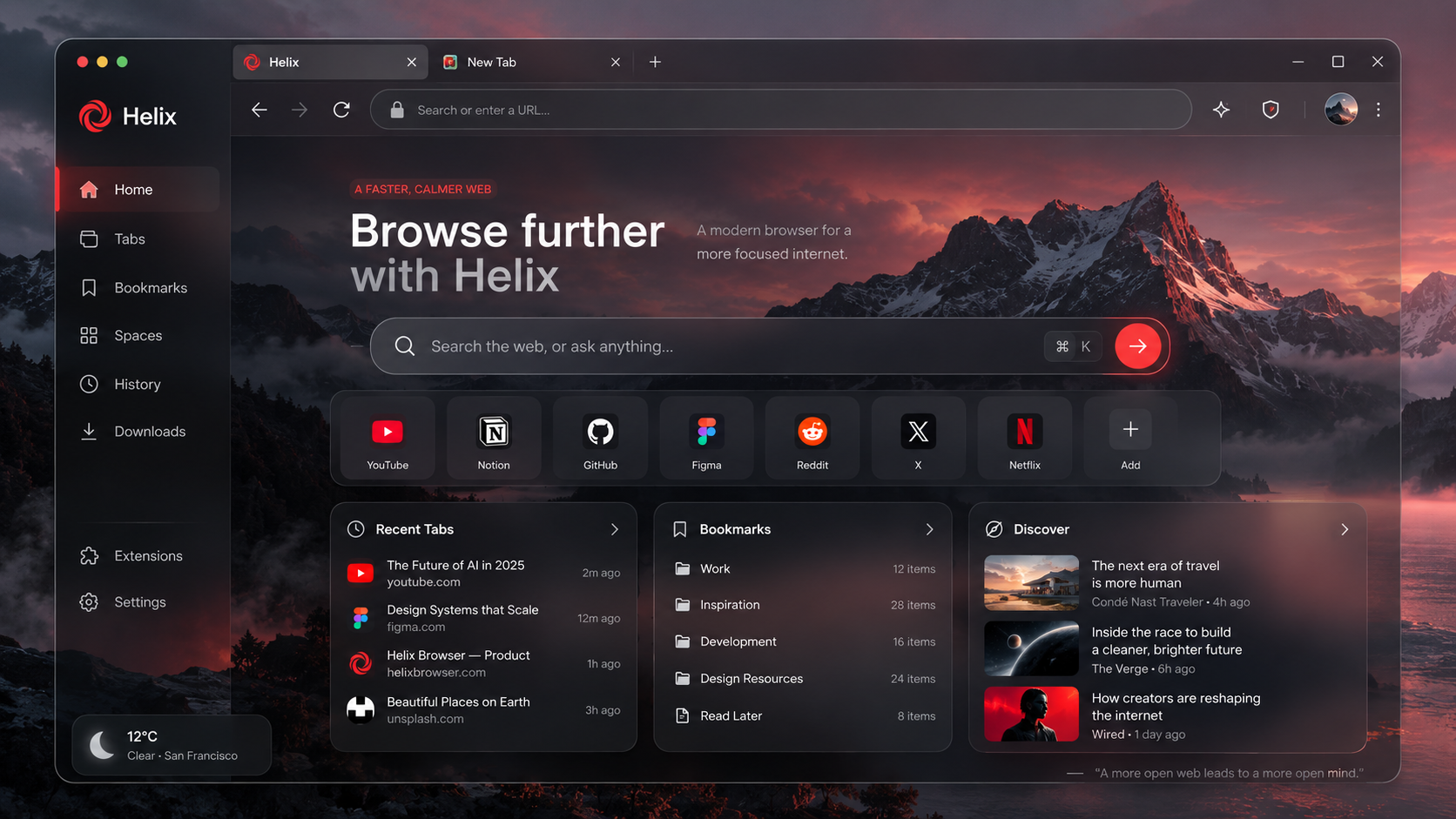
A desktop that gets out of the way.
Helix puts browsing, games, AI, and small utilities behind one coherent visual system instead of scattering them across unrelated windows.
Browse
A Chromium-powered browser with the navigation patterns people already know.
Explore the browser →Play
A built-in library keeps installed and Helix-supported games close to the rest of your desktop.
See the library →Ask
Helix AI lives inside the environment instead of feeling bolted onto a separate site.
Meet Helix AI →The web, without relearning the web.
Helix keeps the familiar tab-and-omnibox model, then extends it with a tighter desktop shell and built-in tools.
Tabs that stay familiar
Chrome-style tabs, pinning, per-tab audio controls, and a focused omnibox.
Your browsing essentials
Bookmarks, history, downloads, site permissions, and saved sign-ins in one place.
Private when you need it
A dedicated private-browsing mode, described without overstating protections.
Extension support
Helix extensions are part of the product direction, with compatibility documented per release.
Your library belongs on the desktop too.
Helix includes a dedicated game library so browsing and play live inside the same environment. The public site will show the actual shipping library once those captures are available.
- ✓ Dedicated game library
- ✓ Consistent Helix navigation
- ✓ No made-up game catalog on this website
Helpful when it is part of the environment.
Helix AI is designed as a native part of Helix. The website keeps the description intentionally restrained until its final model access, privacy behavior, and feature set are confirmed.
How the site handles product claims →Small tools. Same system.
Calculator and other lightweight Helix apps can live beside the browser and game library without changing the visual language.
No invented promises.
The public Helix site should document what the application actually does: where browsing data lives, how private windows behave, what sync exists, what telemetry exists, how updates are signed, and which permissions are requested.
Document the real data model.
Publish updater and installer details.
Never imply stronger privacy than the build provides.
Familiar engine. Distinct shell.
Helix can explain Chromium and Electron where that context helps, while keeping the homepage focused on the experience rather than implementation trivia.

Helix for Windows.
The installer has not been published yet. This build intentionally uses a development download state instead of linking to a fake executable.
- Version
- Development build
- Architecture
- x64
- Installer size
- Pending artifact
- Release date
- Not released
- System
- Windows 10 (64-bit) or Windows 11
- SHA-256
- Published with release artifact
Nothing to pretend is shipped.
There is no public Helix release artifact yet. This section is ready for real version notes once the Windows installer is published.